

How to install ALMPRO with .msi
How to install ALMPRO with .msi
This guide will explain how to install ALMPRO using the .msi wrapper.
The .msi installation wrapper is available for download via our Customer Service Center portal.
Follow the steps below to download the file and use it to install ALMPRO.
- Logon to https://www.rsconnect.net/en/support/
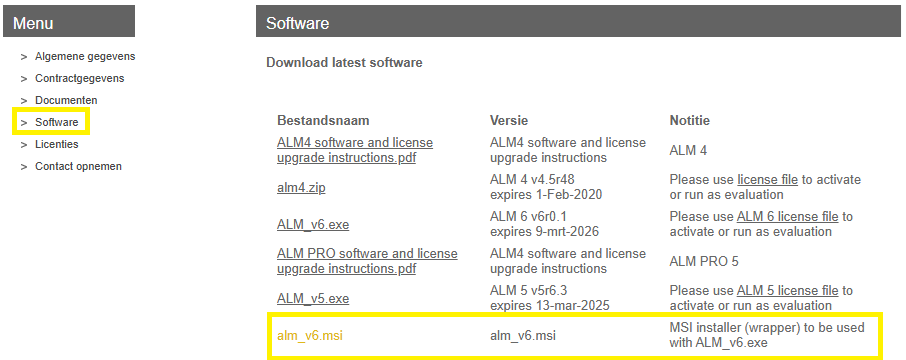
- Then click on the software section in the left-hand menu.
- You can find the .msi at the bottom of the right-hand screen:
- Download and place the .msi in the same folder as the alm_v6.exe.
- Optionally add license and configuration settings in the same folder (only when changed, otherwise the current license and settings will be preserved).
The installation folder will contain:
- alm_v6.exe (application) – required
- alm_v6.msi (installer) – required
- almmodule.lic (license) – optional
- almsettings.txt (configuration) – optional
- Then execute alm_v6.msi to deploy.
In case of any questions please reach out to us via support@rsconnect.net.